Start with the Console
Get started with Kotzilla from the web Console. Create an account, set up the SDK, and begin debugging and monitoring your apps.
Step 1: Create your account
- Go to console.kotzilla.io/signup and create your free account
After creating your account, you’ll receive an email to validate it. Once validated, you’ll be redirected automatically to the Kotzilla Console home page.
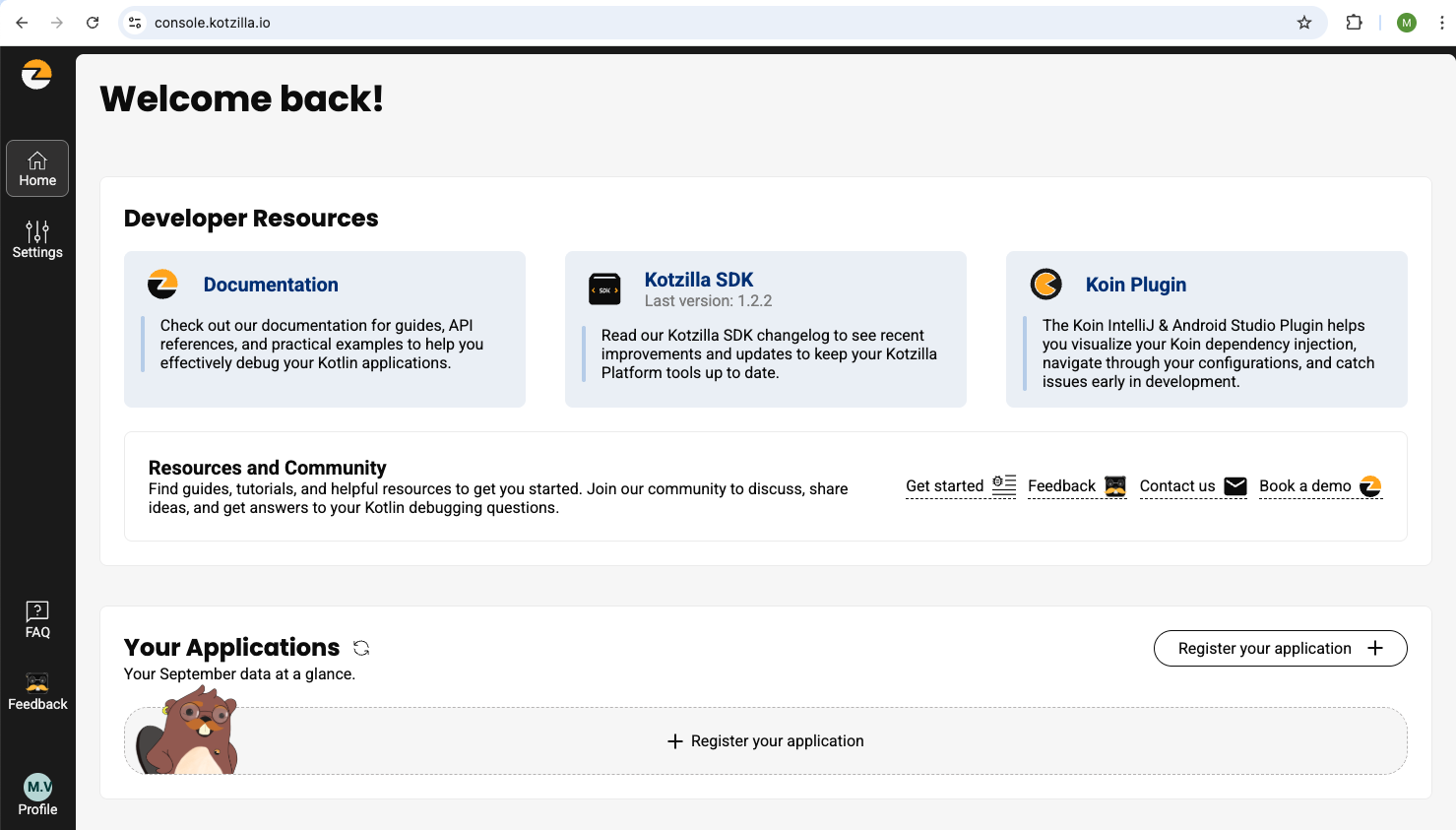
Step 2: Explore the Console Home page
From the Console home page, you can:
- Access documentation including getting started guides, API refrence, and examples
- Install the Koin IDE Plugin for IntelliJ & Android Studio
- Share feedback or book a demo with our team
Step 3: Debug and monitor your app
To start debugging and monitoring your app:
-
Click Register a new application on the Console home page.
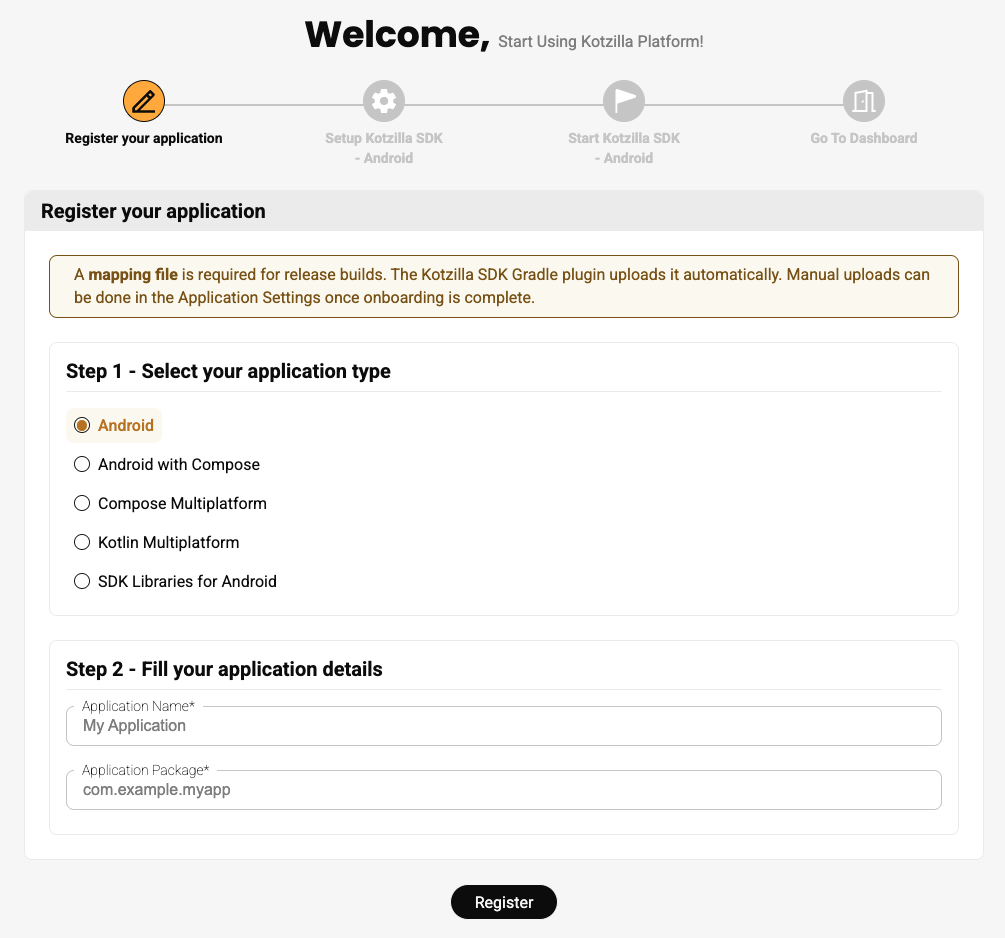
You will be redirected to the Kotzilla onboarding page, where you can select your application type and enter the required details.
-
Depending on the app type selected, follow the dedicated setup steps:
Questions or issues during setup? Contact us. We are here to help!
Have you tried the Kotzilla MCP Server? It can guide your setup and analyze issues directly from your AI coding assistant.